Forms
Forms people finish.
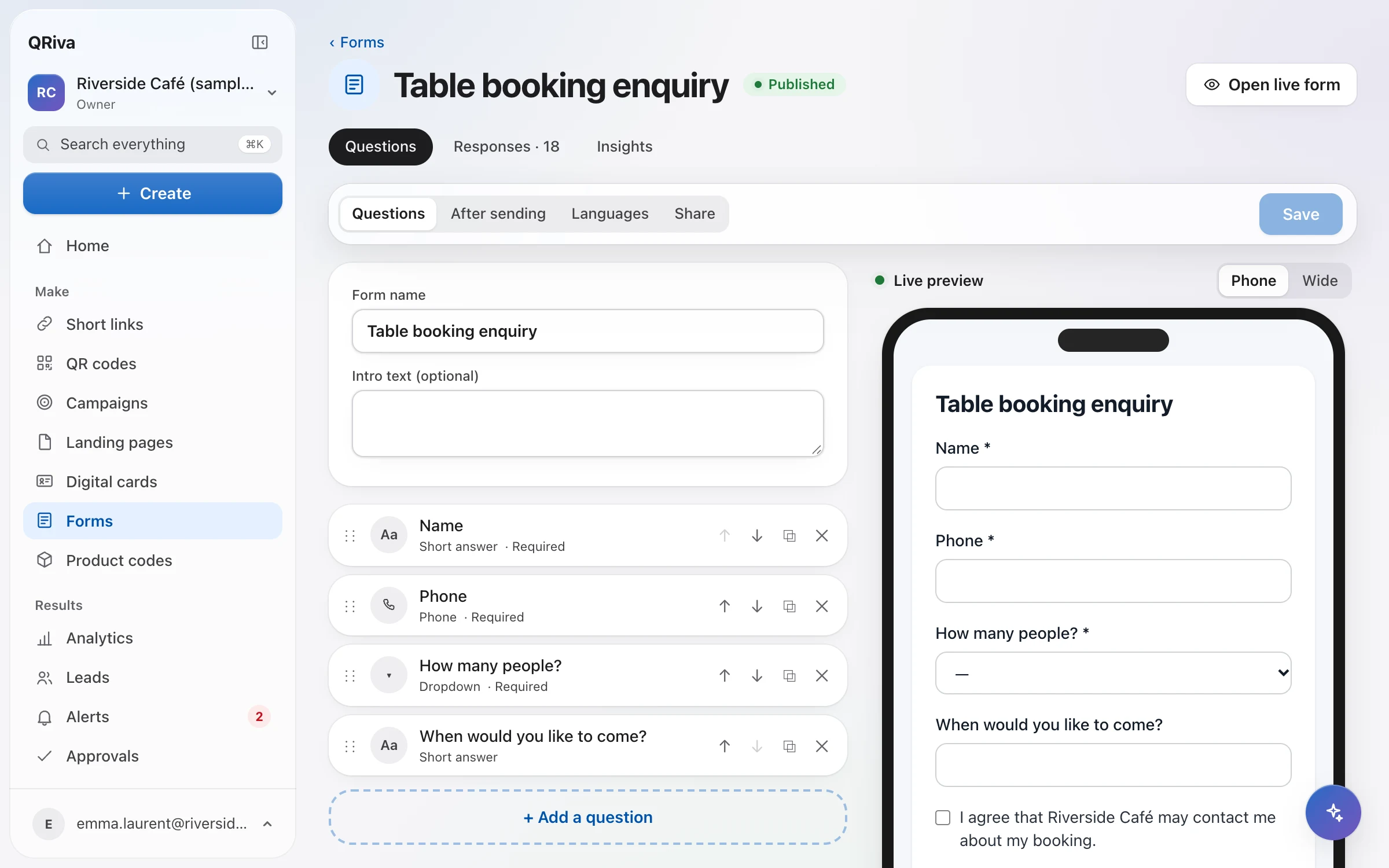
Bookings, enquiries, sign-ups and feedback that work beautifully on a phone and in the visitor's language — with every answer landing where your team will see it.
Why it works
What makes it different
Made for phones
Steps with a progress bar, large targets, clear errors, and a draft kept on the device for longer forms.
Smart when you need it
Conditional logic, calculations, file uploads, signatures, booking slots and payments processed by Stripe.
Consent done properly
The exact wording, its version and a link to your privacy notice are saved with every response.
Forms
Everything that's included
Every item below works in the app today.
Forms
Bookings, enquiries and sign-ups that are easy to fill in on a phone.
- Text, e-mail, phone, number, date, time, choices, long text, links and hidden fields
- Conditional logic, checked again on the server
- Multiple steps with progress, and calculated fields
- File uploads stored privately, signatures and booking slots with capacity
- Payments in forms, processed by Stripe
- Translations that open in the visitor's language
- The exact consent wording and its version saved with each response
- Spam protection and duplicate detection
- Share a link or embed it on your site, where it resizes itself
Forms
Where it works well
Typical ways to use it. Illustrations of a kind of business, not customer stories.
- Example
Table bookings
Booking slots with capacity, straight into the leads inbox with a follow-up date.
- Example
Event registration
A form behind the code on every poster, with a code per placement to see which one worked.
- Example
Feedback
Short feedback forms on the table, the receipt or the packaging.
Pricing
What each plan includes
Straight from the plan comparison, which is exactly what the app enforces.
| Included | Free | Starter | Pro | Company | Enterprise |
|---|---|---|---|---|---|
| Forms | 1 | 3 | Unlimited | Unlimited | Unlimited |
| File uploads, signatures, bookings and payments in formsPayments are processed by Stripe. | Not included | Not included | Included | Included | Included |
| CSV exportsCodes, links, leads and form responses. | Not included | Included | Included | Included | Included |
| Remove “Made with QRiva”On published pages, cards and forms. | Not included | Not included | Included | Included | Included |
Questions
Frequently asked questions
Can I embed a form on my website?
Can a form be in more than one language?
Where are uploaded files kept?
How do you stop spam without annoying people?
Try it free today.
Start on the Free plan — no card needed. Upgrade when you need more.