Pages & links
Pages and links for the moment someone scans.
Build a fast mobile page from blocks — a menu, a link-in-bio, an event or a coupon — and route every scan exactly where it should go.
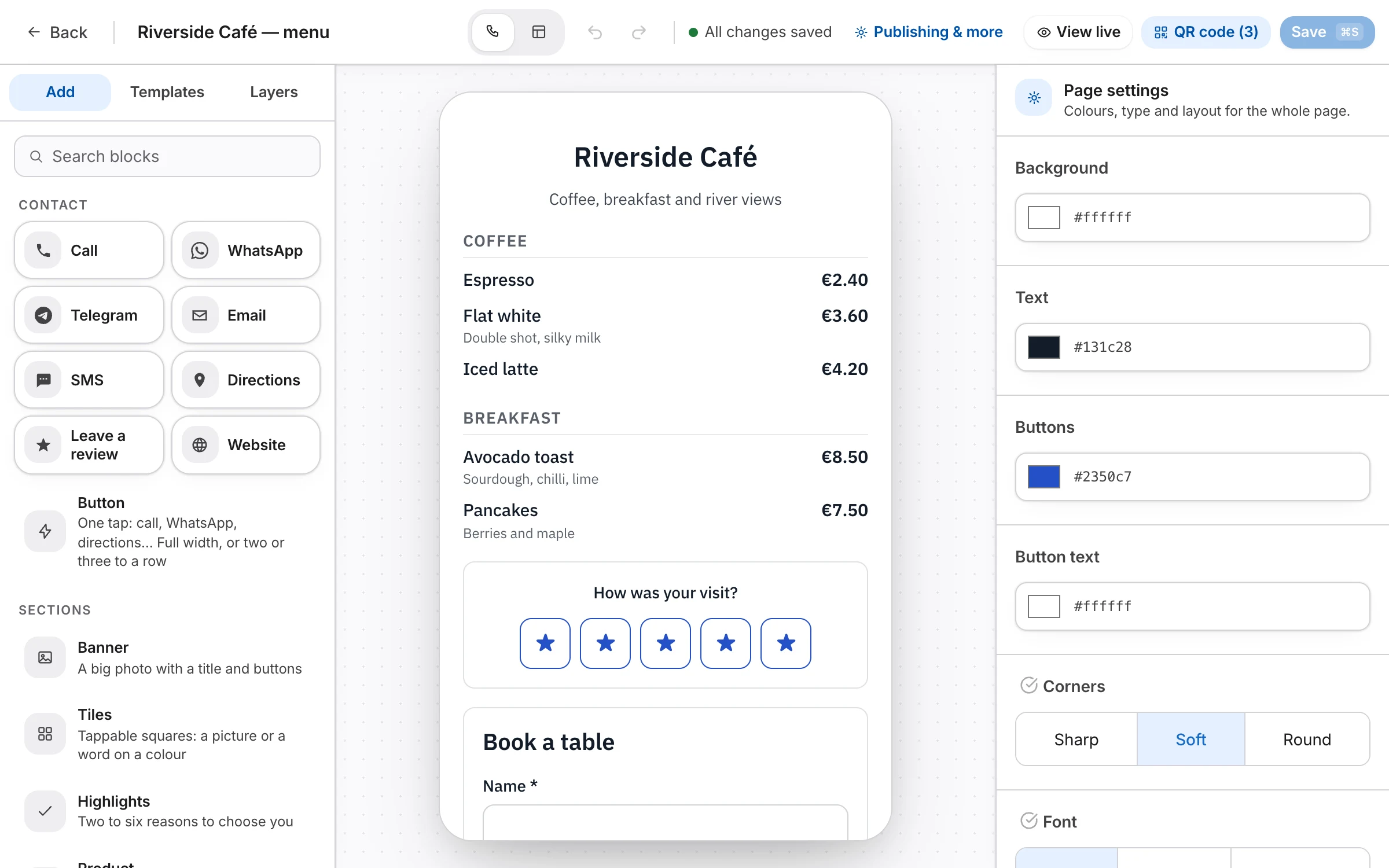
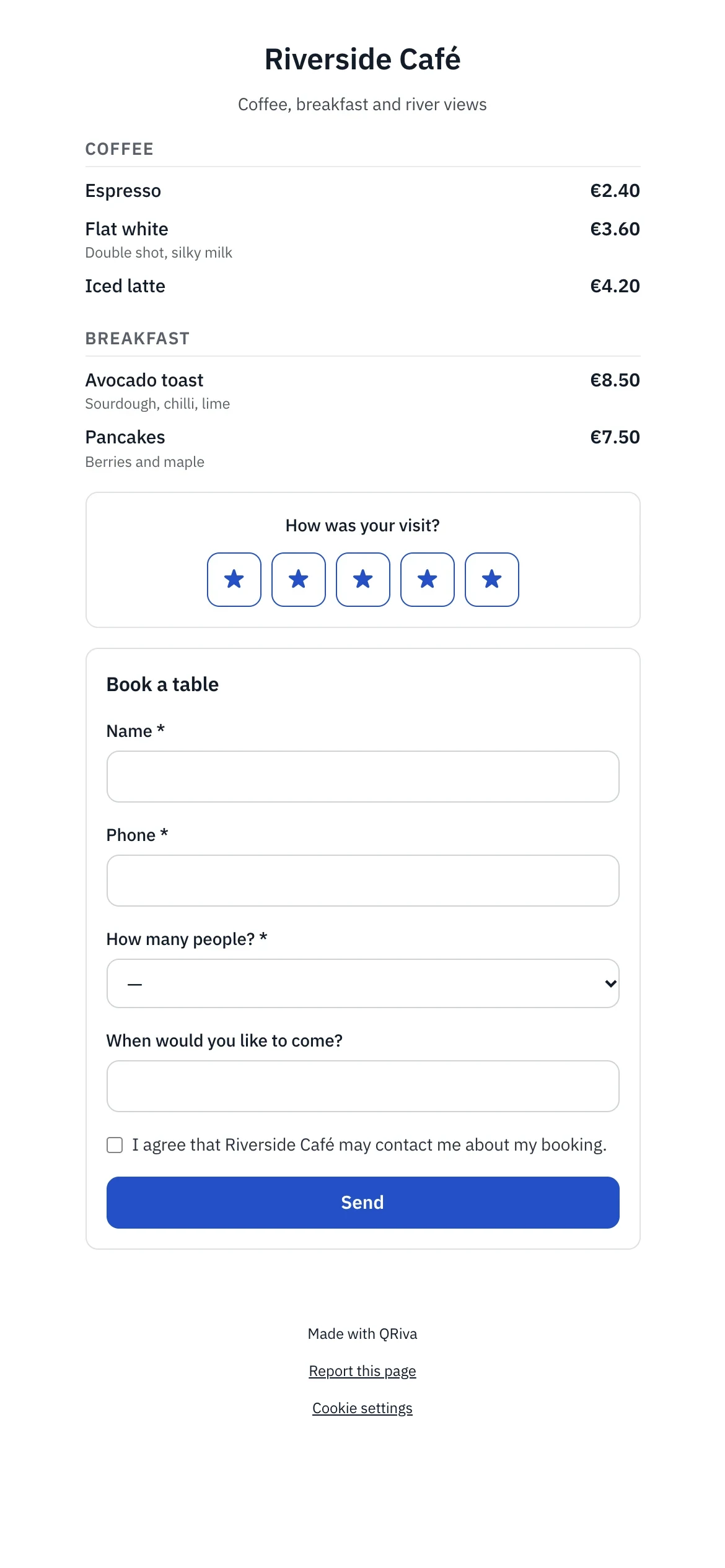
Why it works
What makes it different
Built from blocks
Fifteen blocks and editable templates. Your business details stay linked, so opening hours and addresses update everywhere.
Routing that thinks
Send each scan where it makes sense — by country, device, language or date — with A/B splits and fallbacks.
Safe to share
Destinations are screened, redirect loops are refused, and an optional safe preview shows visitors where they're headed.
Pages & links
Everything that's included
Every item below works in the app today.
Links and routing
Every dynamic code opens a short link you control: where it goes, for whom, and until when.
- Short links with a custom back-half, checked for availability as you type
- Change the destination at any time, with a history you can restore from
- Route by country, device, language or date
- A/B splits that keep each visitor on their variant, with results per variant
- Scan limits, end dates and passwords, each with a fallback
- Pause or archive, with a clear holding page instead of an error
- A campaign-parameter builder with presets, added on the redirect
- A backup destination that takes over if the main one stops answering
- An optional safe preview before visitors leave for an external site
Mobile pages
Fast, accessible pages built from blocks, for the moment someone scans.
- 15 blocks: header, links, text, image, gallery, video, socials, contact, hours, map, form, coupon, rating, menu and divider
- Templates for menus, events, coupons, feedback and link-in-bio, all editable
- Your business details, linked into contact, hours and map blocks so they update everywhere
- Social previews with a generated image, title and description
- A “Verified owner” badge when you've verified your domain
- Version history, and a 30-day trash you can restore from
- A “Report this page” link on every published page
Pages & links
Where it works well
Typical ways to use it. Illustrations of a kind of business, not customer stories.
- Example
Restaurant menus
A menu page with sections and prices, a rating and a booking form, updated without reprinting.
- Example
Link in bio
One page for all your links, with taps counted for each one.
- Example
Coupons and offers
A coupon with terms and an end date, and a fallback page once the offer is over.
Pricing
What each plan includes
Straight from the plan comparison, which is exactly what the app enforces.
| Included | Free | Starter | Pro | Company | Enterprise |
|---|---|---|---|---|---|
| Mobile pages | 1 | 3 | 10 | 50 | Unlimited |
| Custom domains | Not included | Not included | 1 | 3 | Unlimited |
| Smart routing and A/B splitsRoute by country, device, language and time, split traffic and set scan limits. Passwords and expiry dates are on every plan. | Not included | Not included | Included | Included | Included |
| Remove “Made with QRiva”On published pages, cards and forms. | Not included | Not included | Included | Included | Included |
Questions
Frequently asked questions
Can I use my own domain?
Do links expire?
Can I password-protect a link?
What do people see when they share my page?
Try it free today.
Start on the Free plan — no card needed. Upgrade when you need more.